How to calculate your vehicle's fuel consumption
Use the calculator on this page or let Drivvo do the math at every fill-up: the average, the cost per mile, and the expected date of your next fill-up.
- Average from full tank to full tank, including partial fill-ups in between
- Fuel cost per mile at each fill-up
- For cars, motorcycles, trucks, natural gas vehicles, and electric vehicles


Rated 4.8 on Google Play, with more than 5 million downloads
Fuel consumption calculator
Fill the tank, note the odometer reading, and drive as usual. The next time you fill up, enter the numbers below.
Result
- Fuel efficiency
- 28 Mile/Gallon US
- The same fuel consumption in the other format
- 3.57 Gallon US/100Mi
- Distance traveled
- 280 mi
This is an estimate based on the numbers you entered. Drivvo calculates your average automatically at each fill-up using your history.
How to calculate fuel efficiency
The most reliable way is the full-tank method. It measures how much fuel your vehicle actually used over a given distance.
- Fill the tank and note the odometer reading.
- Drive as usual, for as long as you like.
- Fill the tank again and note the odometer reading and the amount of fuel added.
- Divide the distance driven by the amount added the second time.
Example: the odometer went up by 280 mi and you added 10 Gal to fill the tank. The average is 28 Mile/Gallon US.
Partial fill-ups and full tanks
If you don't fill the tank, there's no way to know how much fuel was left. That's why the average can only be calculated between two full tanks. Partial fill-ups in between count toward the next full tank.
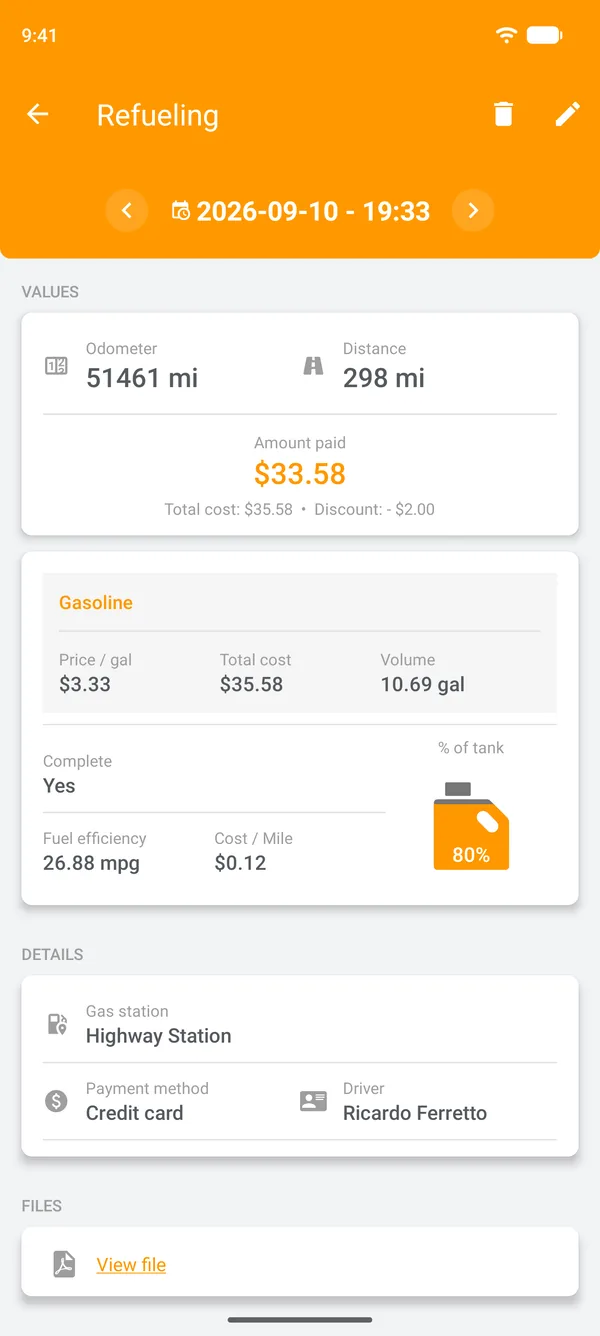
- In the app, check Are you filling up the tank? only when you fill the tank.
- Forgot to log a fill-up? Check Missed previous refueling? on the next one to start the calculation over without errors.
- If you usually add only a little at a time, fill the tank every three to five fill-ups. That's enough for the average to appear.
How Drivvo calculates fuel consumption
You log the fill-up and the app does the rest, on Android, iPhone, and the web.
Log the fill-up
Enter the odometer reading and two of these three values: the price, the total cost, or the amount of fuel. The app calculates the third. Check Are you filling up the tank? when you fill the tank.
See the average for the distance driven
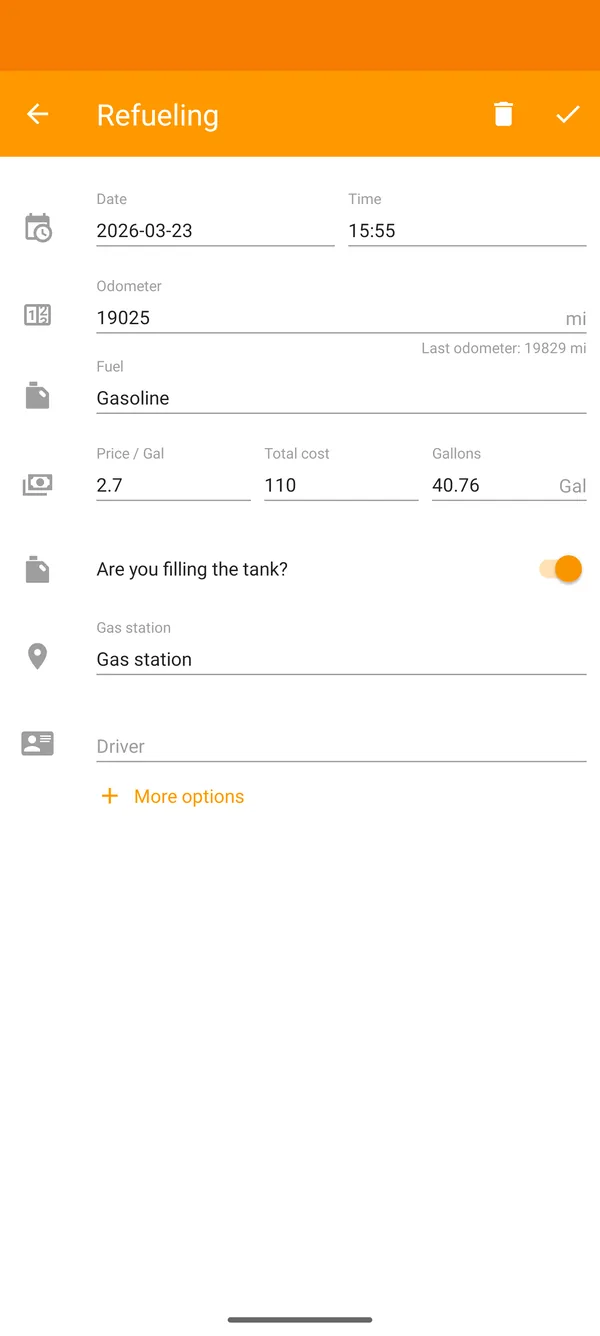
The fill-up shows the average, the distance driven, and the cost per mile. Right after you save, the app compares this average with your last five.
Track it month by month
In History, each month's summary shows spending, distance, and average. That makes it easy to spot changes in fuel consumption.
Reports
Fuel report
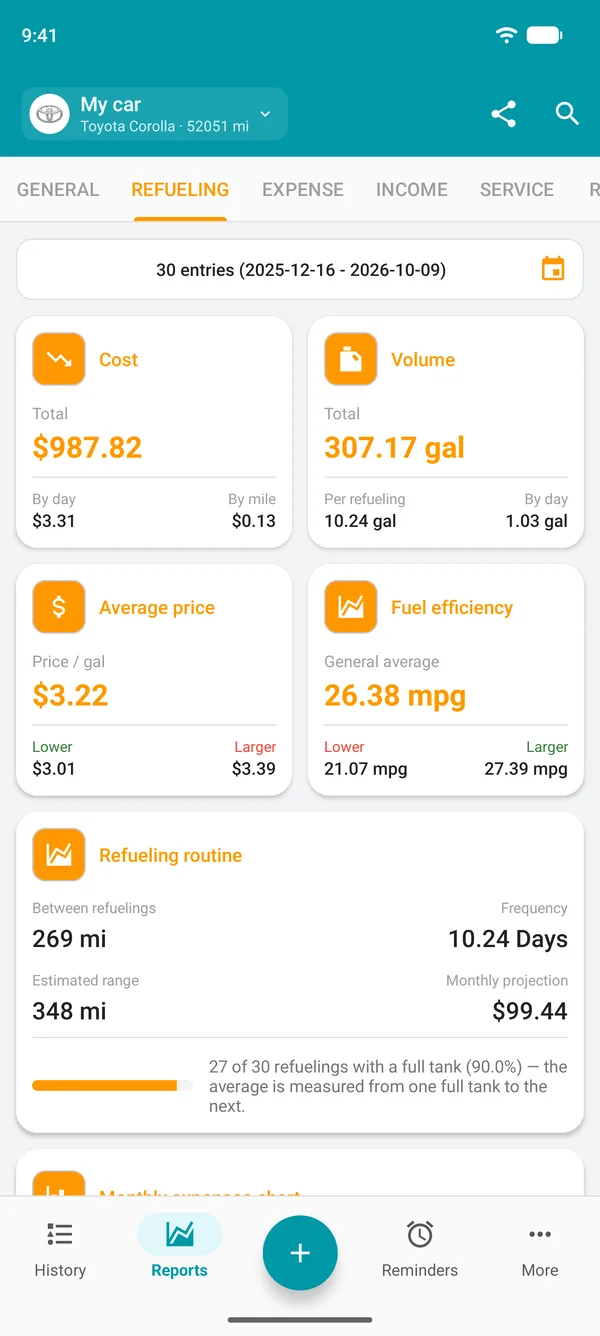
In Reports, on the Refueling tab, you can see fuel consumption for the period you choose.
- Overall average, with the lowest and highest for the period
- Total cost, per day and per mile
- Average price paid, with the lowest and highest
- Distance between fill-ups and how often you fill up
- How much you paid at each gas station and how much you could have saved
- Charts of spending by month, fuel, and gas station
Fuel cost per mile
Cost per mile shows how much you spend on fuel for each mile driven. The math is simple: price divided by fuel efficiency.
In Drivvo, the cost of each stretch uses the price you paid for that fuel, with the discount already applied. It isn't the total paid divided by the distance, because some of the fuel you added is still in the tank.
Next fill-up forecast
Using your latest fill-ups, the app calculates how much you drive per day and estimates the date and odometer reading for your next fill-up. The Next refueling card appears at the top of History.
On Android and iPhone, a notification reminds you on that date and shows your latest average. It's an estimate: the more consistent your driving, the more accurate it gets.
A separate average for each fuel
The app keeps a separate average for each type of fuel and handles cases that usually throw off the math.
More than one fuel
Up to three fuels in the same fill-up, under More options. Gasoline and ethanol in the same tank count together in the average.
Two tanks
A vehicle with natural gas and gasoline? In the vehicle settings, choose Two tanks and enter the fuel and capacity for each tank.
Electric
When charging, enter the kWh and the Battery level at the start and end. The average is calculated for each stretch, with no need to charge to 100%.
Diesel and DEF
DEF has its own average and cost, separate from diesel.
Machines with an hour meter
For machines and vehicles with an hour meter, consumption is shown per hour of use.
Why fuel consumption changes
A worse average than usual often has a simple cause. The most common ones:
- Low tire pressure
- Extra weight in the vehicle or on the roof rack
- Air conditioning on all the time
- Stop-and-go traffic and short trips
- Overdue maintenance, such as a dirty air filter
- A change in fuel type
In the app, the average for each stretch appears next to the lowest and highest, and the report has a chart of the averages. If it gets worse, you'll notice at the next fill-up.
See how to keep track of maintenanceFleet fuel tracking
In a fleet, drivers log each fill-up on their phone, even offline, along with the gas station and payment method. Managers see every vehicle on the Web, with its average, highest, lowest, and cost per mile, and can filter by driver.
See Drivvo fleet managementPay less at every fill-up
The app's Where to refuel shows fuel prices at gas stations near you on a map.
See how Where to refuel worksFrequently asked questions
How do I calculate my car's fuel efficiency?
Fill up the tank, note the odometer reading, and drive. When you fill up again, divide the distance driven by the amount added. The calculator on this page does the math, and Drivvo does it automatically at every fill-up.
What does fuel efficiency mean?
It is how far the vehicle goes on each unit of fuel, or how much fuel it uses per 100 units of distance. Comparing one month's average with another's shows whether the vehicle has started using more fuel.
How do I calculate fuel consumption per 100 mile?
Divide 100 by the fuel efficiency. A vehicle that travels 12.5 per unit of fuel uses 8 per 100.
What is good fuel efficiency?
It depends on the vehicle, the engine, the fuel, and how you drive. The best reference is your own vehicle's average: the app shows the lowest and highest values and compares each stretch with the last five.
How do I calculate fuel cost per mile?
Divide the fuel price by the fuel efficiency. In the app, each fill-up shows the cost per mile for that stretch, with the discount already applied.
How much fuel can I buy for a given amount?
Divide the amount by the price per unit. In the app, just enter the price and total cost: the quantity fills in automatically.
Can I calculate fuel efficiency without filling the tank?
Not accurately, because there is no way to know how much is left in the tank. Partial fill-ups count toward the next full tank. For electric cars, the battery level solves this: you don't need to charge to 100%.
Why doesn't the average show on my last fill-up?
Because that fuel hasn't been used yet. The average appears when you fill the tank again. In Where to show fuel economy, you can choose whether it appears on the fill-up that starts the stretch or the one that ends it.
Which app calculates fuel consumption and fuel spending?
Drivvo calculates average fuel efficiency, cost per mile, and when you'll need to fill up next. It's free, works on Android, iPhone, and the Web, and logs entries even offline.
How do I track fuel for a fleet?
Drivers log each fill-up in the app, and the manager tracks every vehicle on the Web, including its average fuel efficiency and cost. The Fleet plan includes a 15-day free trial.
Does Drivvo calculate fuel efficiency for electric and natural gas vehicles?
Yes. For charging sessions, it calculates the average using kWh and battery level. For natural gas, vehicle settings include the Two tanks option, where you can set the fuel and capacity of each tank.
Does the app tell me when I'll need to fill up?
Yes. The app estimates the date and odometer reading for your next fill-up and shows them in History. You'll also get a notification on Android and iPhone.
Find out your vehicle's real fuel efficiency
Download Drivvo, log your next fill-ups, and see your average fuel efficiency and the cost of each stretch.
Want to see all your expenses, not just fuel? Discover the car expense tracker