Find the petrol pump with the cheapest fuel near you
Compare petrol, ethanol and diesel prices at petrol pumps around you and always fill up at the lowest price. Free on the Drivvo app, for Android and iPhone.
- Every petrol pump's price on the map, with the cheapest highlighted
- Over 250,000 prices from the last 30 days, reported by the community and third-party sources
- Over 600,000 petrol pumps in more than 190 countries and territories


How it works
How to find the cheapest petrol pump
See the fuel price at each petrol pump before you leave home, in a few taps.
- 1
Open Where to refuel
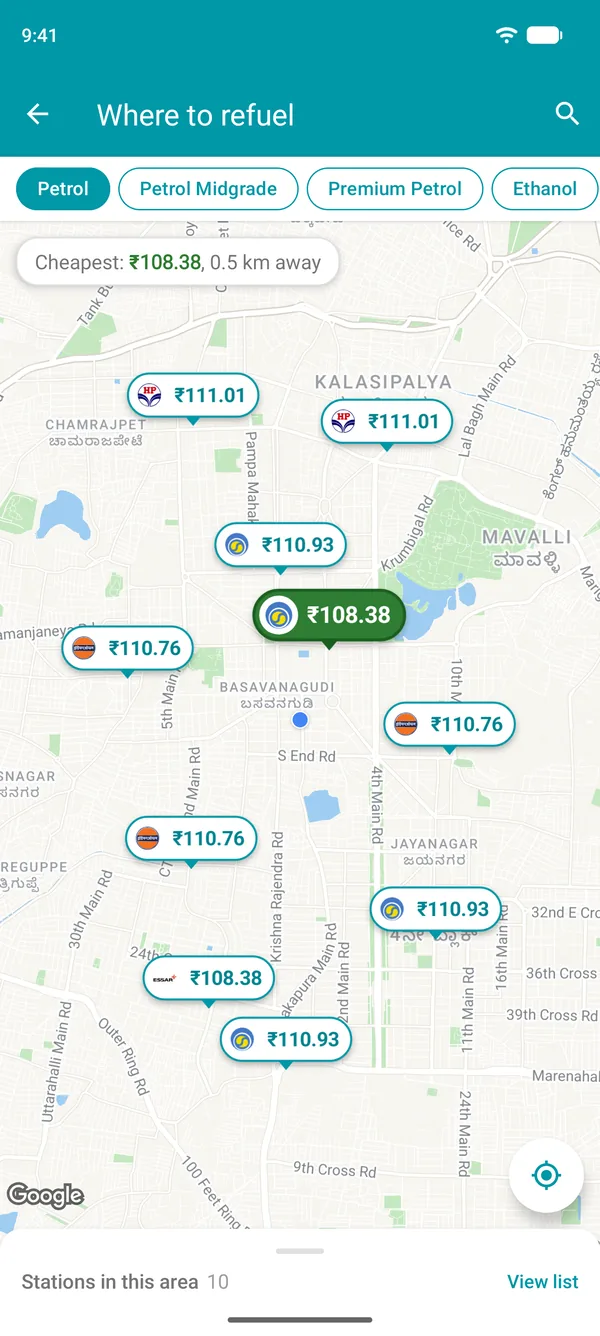
In the Drivvo app, tap More, then Where to refuel. The map opens with petrol pumps near you.
- 2
Choose your fuel
Regular, mid-grade or premium petrol, ethanol, diesel, premium diesel, CNG and more. Each station appears on the map with the price of the fuel you chose.
- 3
Find the cheapest
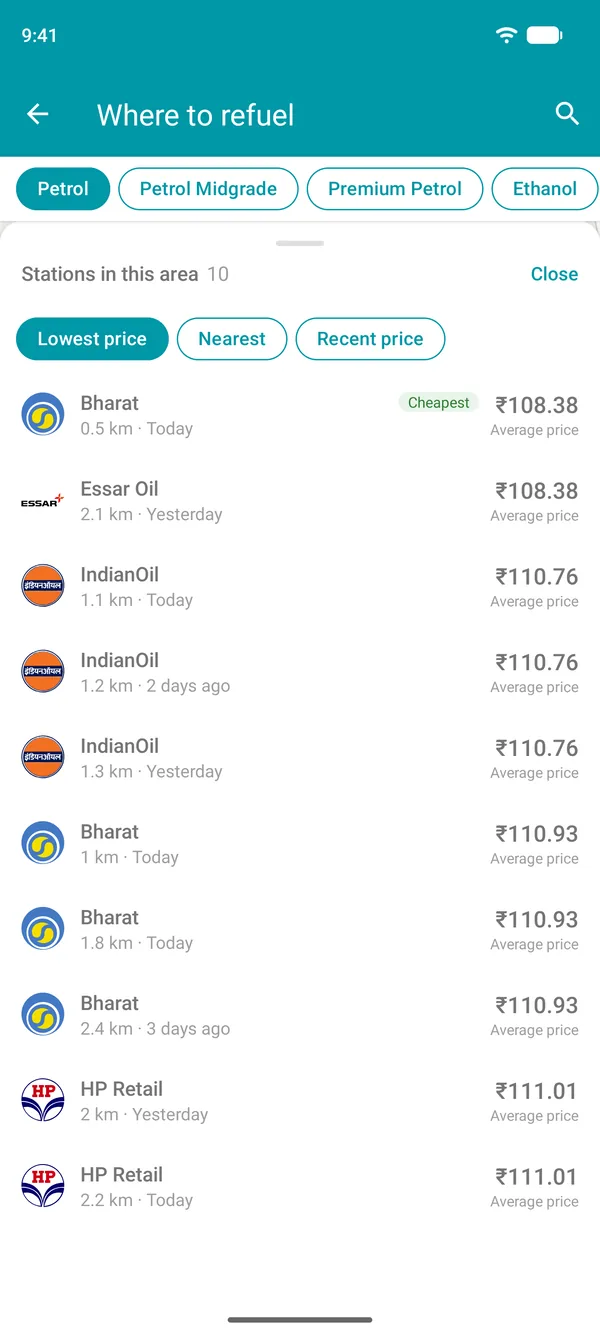
The station with the lowest price turns green, and the summary at the top shows the price and its distance from you. In View list, stations are sorted by price or distance.
- 4
Head to the station
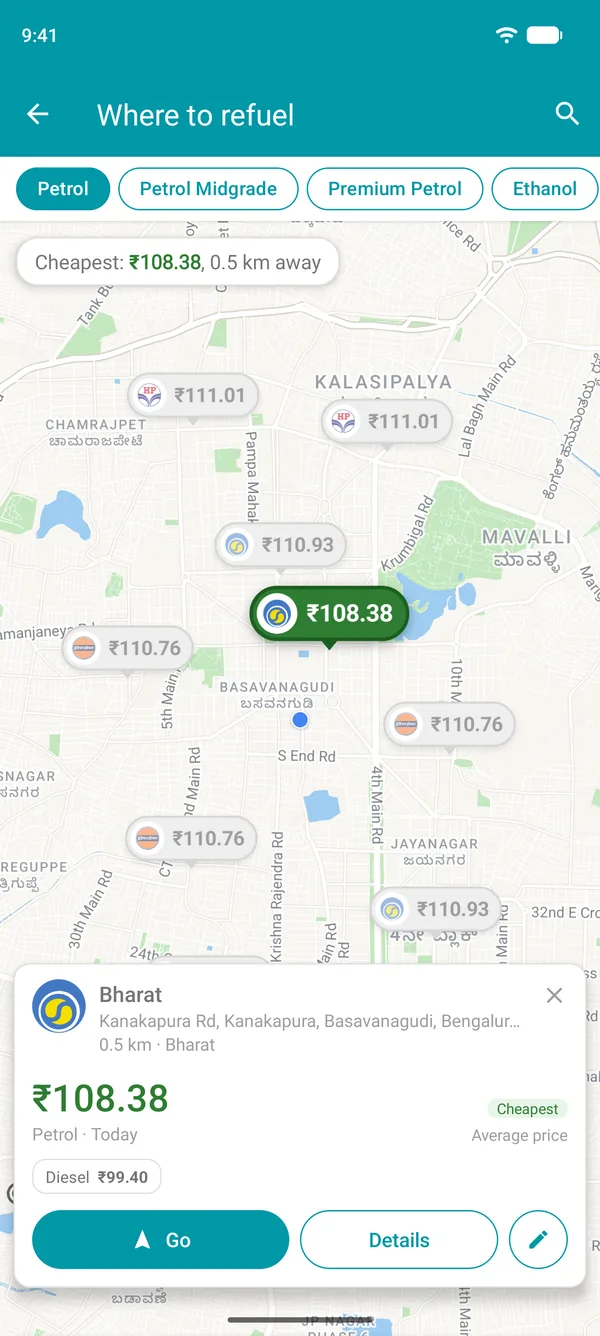
Tap a station to see the prices of all fuels, the brand and the services. The Go button opens the station in your maps app.
Benefits
Save on petrol, ethanol and diesel
Save on every fill-up
Fuel prices can vary a lot between nearby stations. Comparing prices before you fill up makes a difference at the end of the month.
Dated prices
Each price shows when it was reported, and prices older than 30 days are hidden. You'll know whether the petrol price is from today or last week.
Every fuel
Petrol, ethanol, diesel, premium diesel, CNG, LPG, AdBlue and EV charging: choose what your vehicle uses and find the lowest price near you. Choose CNG, for example, and the map shows stations that sell it.
Wherever you go
Heading out on a trip? Search for a city or address and check station prices there before you arrive. Works in more than 190 countries and territories.
Station details
Check the station before you go
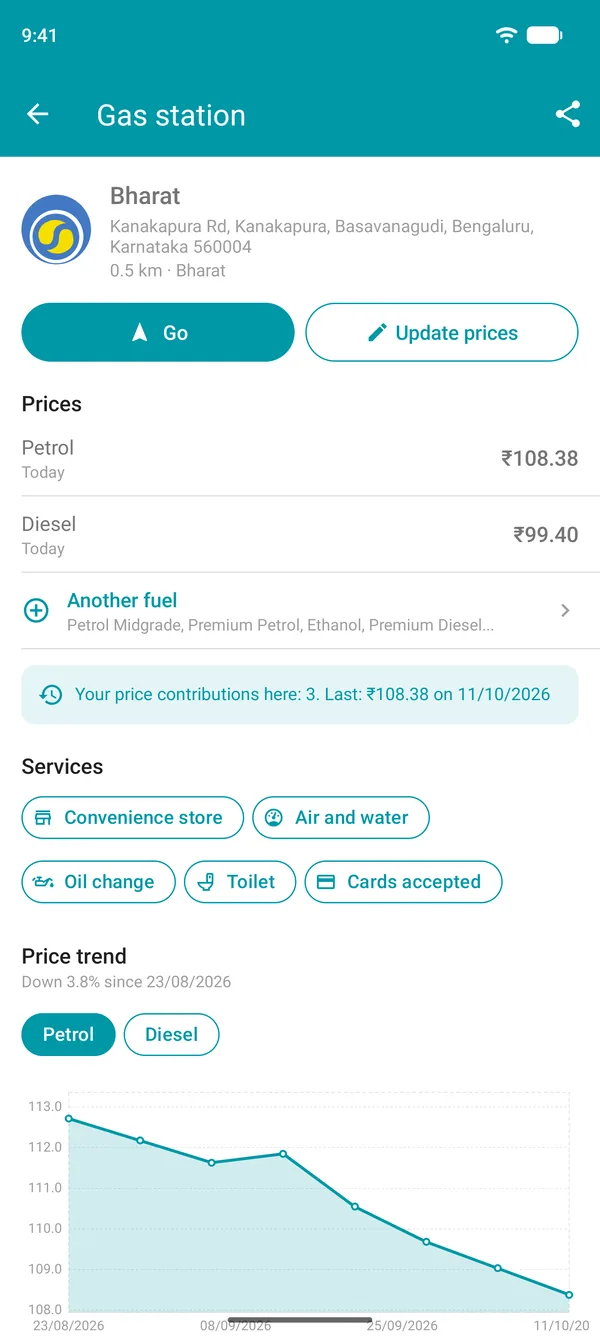
Tap a station on the map to see everything it offers.
Every fuel price
Petrol, ethanol, diesel and other fuels sold at the station, each with the date its price was last reported.
Price history
Where price history is available, a chart shows how prices have changed over time for each fuel.
Station services
Convenience store, air pump, oil change, toilets and 24-hour service: see what each station offers.
Community
Prices updated by people who fill up
Station prices and details come from drivers like you. The more people contribute, the more accurate the map gets for everyone.
Your fill-up becomes a price
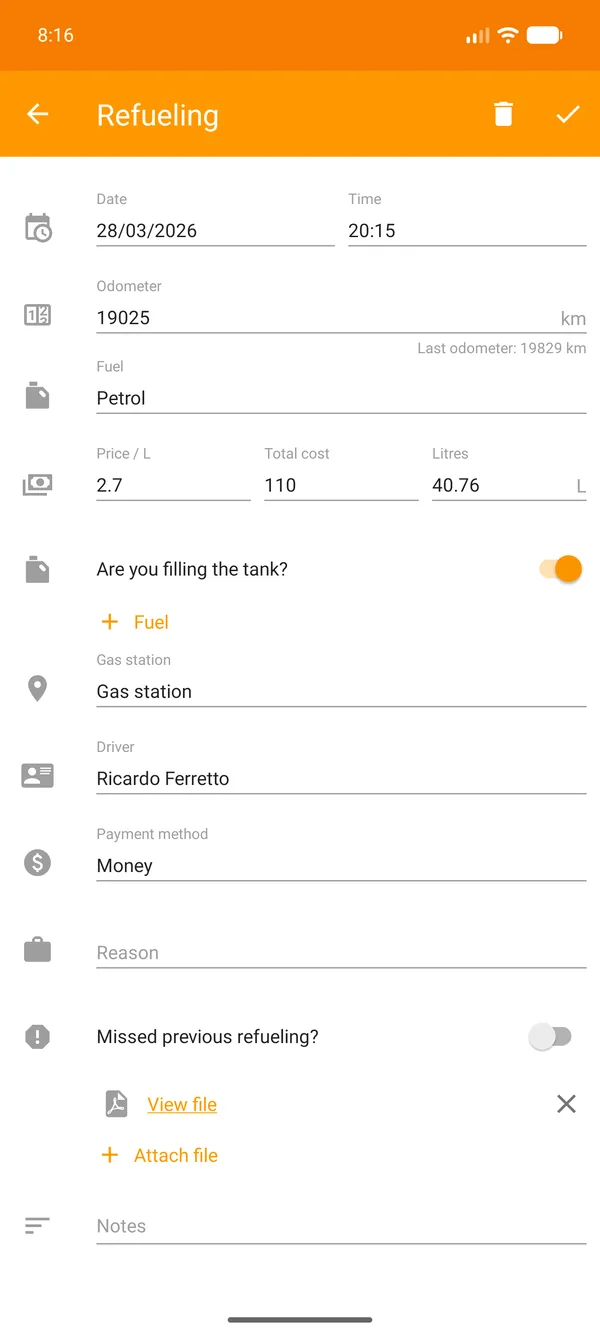
When you log a fill-up in Drivvo with a station selected, the price you paid helps update that station's price without showing who reported it.
Update prices
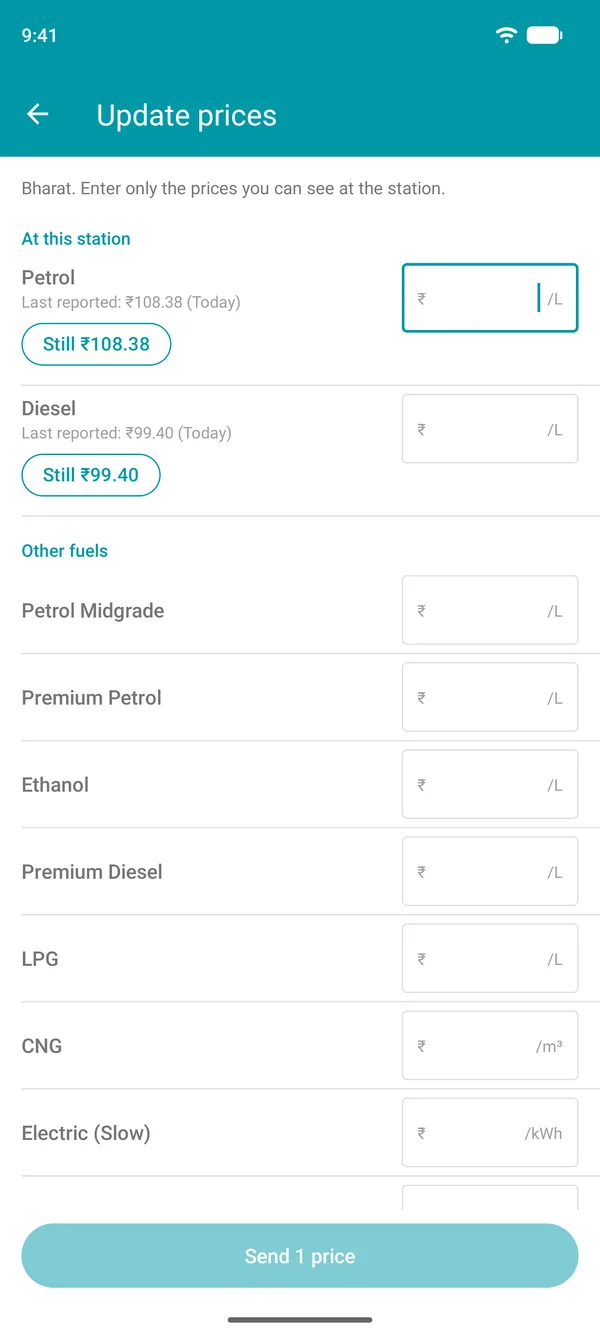
Saw a different price at the pump? Open the station, tap Update prices and enter the price for each fuel. If nothing has changed, just confirm.
Suggest corrections
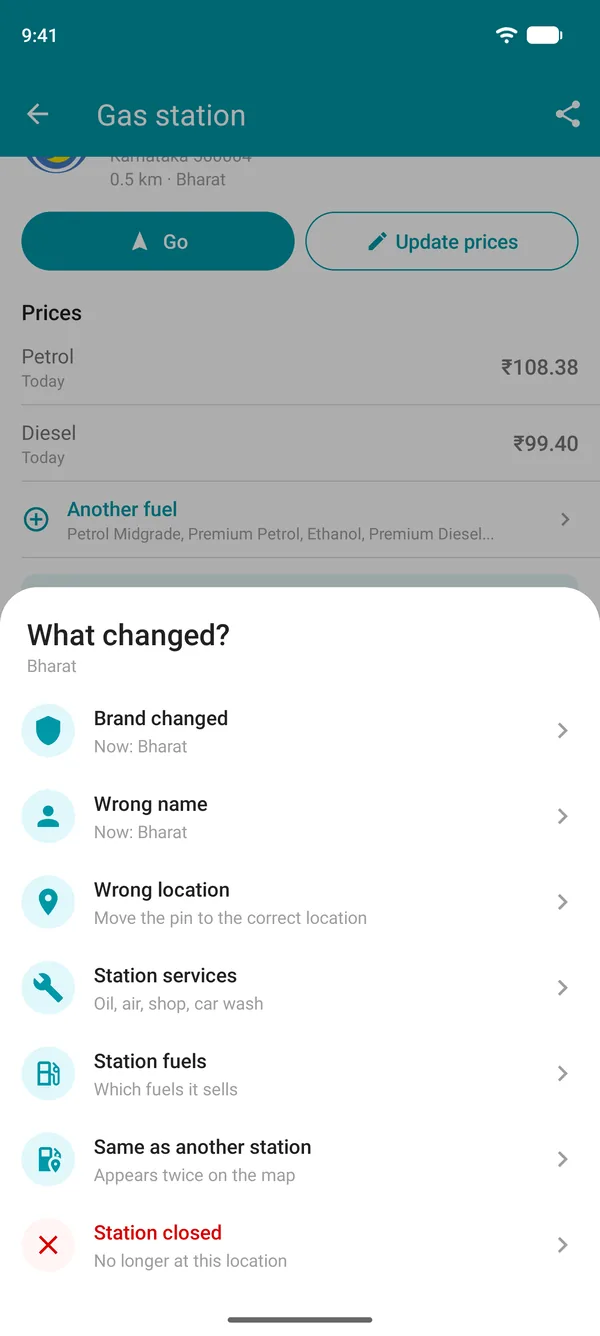
Has the brand changed, has the station closed, does it appear twice or is a service missing? Send a suggestion. When other drivers report the same thing, the map is corrected for everyone.
Information provided by Drivvo users and third-party sources. Check at the station before refueling.
Frequently asked questions
How do I find the cheapest petrol pump near me?
Open the Drivvo app, tap More, then Where to refuel, and choose your fuel. The map shows nearby stations and their prices, with the cheapest one in green.
Which app shows petrol prices at each station?
Drivvo. In Where to refuel, it shows petrol, ethanol and diesel prices at stations near you. It's free on every plan for Android and iPhone: you just need an account.
How do I check today's petrol price?
Open the station on the map: each price shows when it was reported, such as today or 2 days ago, and the app hides prices older than 30 days. Since a station can change its price at any time, check the pump before you fill up.
Where can I find the lowest diesel price?
In Where to refuel, choose diesel or premium diesel at the top of the map. Stations show their diesel prices, and the cheapest one appears in green. It works for cars, pickup trucks and lorries.
Where do the fuel prices come from?
From fill-ups users log in Drivvo, prices they update at stations and third-party sources.
Which fuels can I compare?
Regular, midgrade and premium petrol, ethanol, diesel, premium diesel, CNG, LPG, AdBlue and slow and fast EV charging, depending on what each station sells.
How do I fix a wrong price or station?
Open the station on the map. For the price, tap Update prices. For the brand, name, location, services or a closed station, tap Suggest a change: the correction is made when other drivers confirm it.
Does it work while travelling and in other cities?
Yes. The map shows stations near you. To see another area, just search for a city or address. There are over 600,000 stations in more than 190 countries and territories, with prices in the local currency.
How do I find a station with CNG or one that's open 24 hours near me?
In Where to refuel, choose CNG at the top of the map to see stations near you that sell it. Tap a station to see its services, such as a convenience store, air pump, oil change and 24-hour service.
Fill up at the lowest price from today
Download Drivvo for free and see current fuel prices at stations near you.
Besides finding the cheapest station, Drivvo calculates your vehicle's mileage and running costs. Learn about Drivvo for personal use